Posts

Showing posts with the label ANDROID APPS

How do you fix this error net::ERR_CACHE_MISS in an Android app built using Android Studio?

Image
 I am a Windows Phone developer trying to get into Android App development. I have been working with Android app development for the past couple of days with the latest Android Studio.  I finally got an app that can display an URL . I had an important line missing in my Manifest file and when I corrected this it worked. It has to do with the browser permissions. ========= <?xml version="1.0" encoding="utf-8"?> <manifest xmlns:android="http://schemas.android.com/apk/res/android"     package="com.example.mywview"> <uses-permission android:name="android.permission.INTERNET"/>     <application         android:allowBackup="true"         android:icon="@mipmap/ic_launcher"         android:label="@string/app_name"         android:roundIcon="@mipmap/ic_launcher_round"         android:supportsRtl="true"         android:theme="@s...
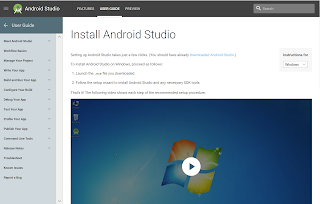
Installing Android Studio 3.0 on Windows 10

Image
Android Studio 3.0 is the official Integrated Development environment (IDE) for Android app development. Android App studio brings in many features : • A flexible Gradle-based build system • A fast and feature-rich emulator • A unified environment where you can develop for all Android devices • Instant Run to push changes to your running app without building a new APK • Code templates and GitHub integration to help you build common app features and import sample code • Extensive testing tools and frameworks • Lint tools to catch performance, usability, version compatibility, and other problems • C++ and NDK support • Built-in support for Google Cloud Platform, making it easy to integrate Google Cloud Messaging and App Engine The installation is straight forward on Windows 10 as the installation program downloads all the necessary items during Android Studio installation. It is driven by a wizard which makes it very easy. You can downlo...

Cross-platform app development Visual Studio 2015 (XAMARIN)

Image
Read the following to get an idea of cross-platform options: http://hodentek.blogspot.com/2014/07/cross-platform-app-development-part-1.html Review this regarding cross-platform app development and Xamarin connection: http://hodentek.blogspot.com/2014/07/cross-platform-app-development-part-1.html Review regarding XAMARIN: http://hodentek.blogspot.com/2014/01/master-c-and-become-universal-coder.html Now in Visual Studio 2015 CTP6 you have the Android app under New Project in C#. Sorry, not available for VB. Not only you can work with Android but  also with iOS apps in Visual Studio 2015 CTP6. Review this following screen shot: Andy01 Herein you can write Anroid apps in C# and share your code with iPhone, iPad and other .NET languages. However, there are no built-in templates but there is a link in the previous window at the bottom which will take you to the templates (if any) on the Internet. In your search, look for Samples and under samples C#. Filter the ...