Posts

Showing posts with the label App Framework 7

Intel XDK: Controls 13: ACCORDION Control in App Designer 7

Image
In this post I will be considering the most basic implementation of the ACCORDION control in an Intel XDK App Framework 7 project. I had described the accordion control  years ago while using the DOJO framework, another framework that worked splendidly. You can create a project with an ACCORDION control on the web page. You launch Intel XDK (Version3522) and create a Standard HTML5 project and choose to use the App Framework 7. This creates a single page application and the DESIGN features will be available. I just placed a HEADER and replaced its title to My Books. The ACCORDION control is available under CONTROLS as shown. Accordion_00 For this post I tried dragging and dropping this control on to the page and it does not work, probably by design. What you need to do is to drop the following HTML fragment for this control on the page. Accordion_01 This is where you would place this code: Accordion_02 This will generate an accordion control ...
Intel XDK: Controls 9: TAB BAR control in App Designer 7

Image
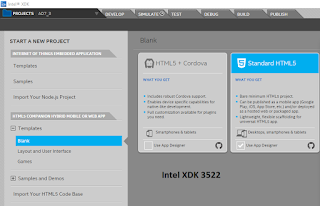
When you are using App Designer in Intel XDK, you have a number of options shown. In the present post you will use App Framework 7. You start with a Blank project using the Standard HTML5 with App Designer support from this Start A NEW PROJECT screen shown below: tabbar7_00 After opting to choose 'Use App designer' click Continue at the bottom of the page to display Project name page. tabbar7_01 Give a name and click Create. There will be some processing. Congratulations screen is displayed, dismiss it if you do not want to go through the QuickTour. Here you need to choose a Framework. The options are shown. tabbar_02 Looks like quite a few of them are no longer supported. This is some what of a problem as you need to go through upgrading the projects you create in previous versions when some of these framworks were supported. The default is Twitter Bootstrap v3. Choose Framework 7 .Click Select at top right. The UI you see are different from...