Deploying an app to your Windows Phone 8.1
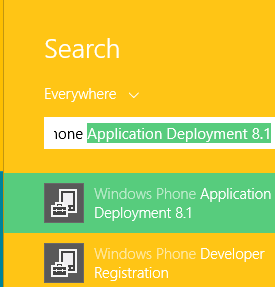
You may find this helpful if you are developing an application for Windows Phone. You are a Windows Phone 8.1 Preview developer and you have created a nice app that you want to test on a phone you own. How do you test it? While developing the application using Visual Studio 2013 Express for Windows Update 3 (this is a free developer resource, read more here ) you will see it on a emulator, the phone image that emulates your actual phone that comes on your PC/Laptop when you run the app. After running the app on your laptop you should deploy it to your phone. The phone you buy is by default locked and you need to unlock it. Details of unlocking the phone are here: Go to this link: http://go.microsoft.com/fwlink?LinkID=317976 This is how I was able to do. I connected my phone (Nokia Icon) to the laptop. On my Windows 8.1 Professional (x64 bit) laptop I searched for Windows Phone and got these results(few shown) I clicked on the Windows Phone Devel...