Posts

Showing posts with the label iPad

Creating Projects with Intel XDK, ListView - Part 3
Image
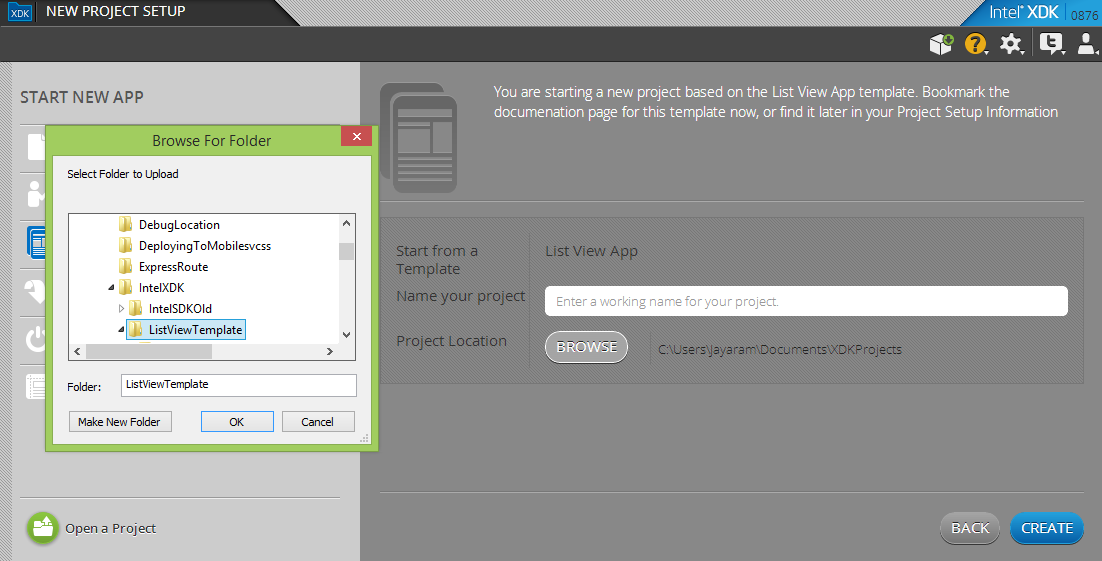
In my previous post  http://hodentekmobile.blogspot.com/2014/08/creating-projects-with-intel-xdk-part-2.html    I covered the various project options that you can choose for designing your apps that can be accessed by multiple devices, iPhones, Windows Phones, iPads etc. In this post I describe the steps to create a ListView App with the Intel XDK using the published templates. A list view consists of a list and when you click on one of the list items, you get a detailed page related to the item. This is a very common type of application. Download the source code for the template from github here: https://github.com/gomobile/template-list-view-ad The following note is from the above site: 'App Designer Ready-This template can be used for simple list view application that has a main view with scrollable list and detail view for each list item, this template can be used for creating applications similar to Mail app, Messages app or Twitter* app' After downlo...
Transfer albums from iPad, iPhone etc effortlessly

Image
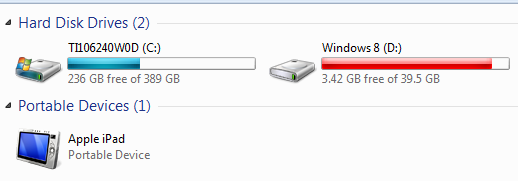
Sometimes you need to transfer photos or albums from your iPad to your Windows PC. You can find a number of Apps on Apple Store to do this. Most of them use some form of connectivity with WiFi being the most popular. Unfortunately you end up spending time reading manuals or troubleshooting information. Here is the easiest way of doing without downloading any APP but using the stuff you already should be having. There is only one step in this procedure: Y ou do not need anything other than what you should be having . Hook your iPad (firmware 7.0.4) connector's USB end to the Windows OS (Windows 7 x64 Ultimate)  computer's USB Drive (assume that the other end is connected to iPad). The Windows computer recognizes the connection and now click Start | Computer and you should be able to see your Apple iPad as shown. If you open the DCIM folder that is displayed when you double click Apple iPad in the above it will be empty. After sometime you get an iPad mess...