Posts

Showing posts with the label IntelXDK

Start developing with Bootstrap Framework and Intel XDK - 1

Image
Bootstrap, the most popular framework is a free front-end framework for everything in HTML, CSS and JavaScript. Web development will be faster and easier with Bootstrap. Bootstrap has design templates with buttons, forms, typography, and more. Moreover, it supports responsive web design, designs that automatically adjusts to the devices from smart phones to desktops. It is, Easy to use Has responsive features Mobile-first Wide browser compatibility Intel XDK has built-in support for Bootstrap Framework. BS_02 For example in a Standard HTML5 project with Bootstrap Framework chosen, placing a 'button' widget on a page adds the following HTML fragment to the page. BS_00 You can download Bootstrap from here and choose the option to download as shown: BS_01 You could also link reference Bootstrap from the following CDNs: Sorry, I can only use images of HTML fragments on the blogger as it does not support 'Pre' tags correctly. Of course there are many other ...

Exploring styling with Intel XDK - 2

Image
In this post we take a look at media queries and how they enter styling in Intel XDK projects. Media queries came about in CSS3. In CSS2, the @media rule was introduced to address the different media types (desktop screens, printers, handheld etc). However this did not taek off except fro prit media type. Media queries look for the type of support or capability available on the device to tailor the styling. Media queries checks many things including display related variables like, Width and height of viewport Width and height of device Device Orientation (Landscape/portrait) Resolution Like anything else browser support is essential, typically the support for @media rule. Media query has the @media rule and the query syntax. The syntax of media query is: @media not|only mediatype and (expressions) {     CSS-Code; } The result of the media query returns true if, The media type matches the type of device the document is beign displayed All ...

Exploring styling with Intel XDK - 1

Image
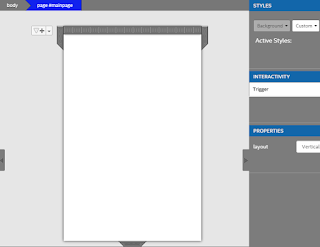
Without styling most of web pages will be drab. CSS is at the center of all web styling and Intel XDK is no exception. In a Standard HTML project with App Framework 3 in Intel XDK there is the standard .css page that governs the styling. In the case of a blank project the only reference to styling is the style sheet reference to css/app.css. In addition to touch action, zooming and other interactive elements has only the minimal styling information for the single HTML page, the styling for the body. body {background:white; color:black} The single page is shown here.   StdMain_01 When you click on Background, you get a drop-down to create a New... style for the background element. When you choose New..., you get a window where you can create a new style class as shown. A name Paleblue was provided by the user here. StdMain_02 When you click OK, the following takes place. An Index_main.less.css gets added as well as in the design area, a style designer opens up as shown. ...

Intel XDK: Controls 4: Using Google Charts widget

Image
Google Charts is a useful widget if you want to dsiplay a chart from your data on your phone using an app. At first you need to have a chart to display. A simple way to create a Google chart is described here . You could have also started the Google Chart Application (online) and inserted your own data. I just used the procedure at the indicated link . Once you have a shared data, using the widget is very easy. Drag and drop the widget as shown on your page. Disregard the Insert Text button and the Latin text . GoogleChartWidget_00 Click on the Google Chart Widget on your designer to display the PROPERTIES window as shown. GoogleChartWidget_01 By default it comes up with a preconfigured URL using a Google Spreadsheet created by a user who has shared his/her spreadsheet. In its place, use the one created by you as indicated earlier. In this particular case, I used this URL from the data I imported from MS Access. https://docs.google.com/spreadsheets/d/1kJ3JPGM...

Intel XDK Version Upgrade

Image
If you are working with Version 2893 then it is time that you upgrade to version 3088. The new version is: Intel® XDK - Release - 2016 March 23 v3088 This is a significant version as versions prior to this will no longer use the the following: Build Tab Test Tab App Preview The Intel XDK's build system has been improved to take in Security and Performance improvements. Projects created in earlier versions need to be upgraded when you try to open in the version. Here is a sample of what happens when you try to open a project built in version 2893 in version 3088. There are more items addressed in this version. Read here: https://software.intel.com/en-us/xdk/docs/release-notes-information-intel-xdk . There is a new Publish tab that assists in creating application publishing assets and information. It also helps in uploading materials to app stores. Review the following for projects created with earlier version: Part 1:Creating a Intel X...

Intel XDK: Controls 1: Usage of SELECT and iF Widgets

Image
This post considers combining the SELECT widget from Controls | COMMON and the MEDIA widget from Controls | MEDIA to display a web page from a list of web pages from a select list. The IntelXDK version is 2893 and uses App Framework 3.0. The emulator used is Apple iPhone 6. The SELECT Control is shown here: Select_01 The Control is shown here: iFControl Step 1: Drag and drop a SELECT Control on the page in this case page#mainpage as shown. The properties of this page is as shown in this image. The Label indicates the Label which you can change, herein not changed. In the option list, I have included three of my blog titles. When I choose any of these from the drop-down, I want it shown in the "iframe" widget. I have also given a id which is essential for me to find it on the document. SelectProps Step 2: Drag and drop a Control on to the page as shown. The properties of this are set as shown in the next image. You may get an alert that ...

Cross-platform app development Visual Studio 2015 (XAMARIN)

Image
Read the following to get an idea of cross-platform options: http://hodentek.blogspot.com/2014/07/cross-platform-app-development-part-1.html Review this regarding cross-platform app development and Xamarin connection: http://hodentek.blogspot.com/2014/07/cross-platform-app-development-part-1.html Review regarding XAMARIN: http://hodentek.blogspot.com/2014/01/master-c-and-become-universal-coder.html Now in Visual Studio 2015 CTP6 you have the Android app under New Project in C#. Sorry, not available for VB. Not only you can work with Android but  also with iOS apps in Visual Studio 2015 CTP6. Review this following screen shot: Andy01 Herein you can write Anroid apps in C# and share your code with iPhone, iPad and other .NET languages. However, there are no built-in templates but there is a link in the previous window at the bottom which will take you to the templates (if any) on the Internet. In your search, look for Samples and under samples C#. Filter the ...