Posts

Showing posts with the label iOS

You may want to develop games for SKILLZ

Image
  Beginning today Skillz started trading. Skillz is the leading mobile platform for gamers. It combines mobile gaming with sports that enables everyone to share in the sports competition. The mobile gaming market is expected to grow by 2025 to $150 billion according to Skillz site ( https://www.skillz.com/skillz-becomes-first-publicly-traded-mobile-esports-platform/ ) If you are a game developer (iOS , Android, Cardova, Unity) you may be interested in the following information,

Intel XDK Version 3491 has a Simulate that replaces Emulate of older versions

Image
Intel XDK Version 3491 was recently released and the menu listing has changed. Instead of the Emulate menu item, you have Simulate as shown. Version3491_00 The device platforms you can choose from are iOS, Android and Windows. Version3491_01 Apple devices are: Version3491_02 Android device are: Version3491_03 Windows Phone devices are: Version3491_04 It is interesting the Microsoft Lumia are not targeted. The new Simulate menu usage follow these steps: Select a Platform Select a device Preview the app Restart Preview Stop Preview Debug Start a remote debugging session. Simulator keeps on running Close Debugger Auto Reload, reloads simulation when files changes are saved O plugins are changed.

Are you considering creating apps using HTML5 and Cordova?

Image
In all my previous posts in this blog we only looked at Standard HTML5 projects. In Standard HTML5, the project was packaged as a web app and host it on a server (the Intel XDK server in this case) as an HTML5 web app, or build it for distribution via popular mobile app stores. For testing purposes, you would use the Intel XDK Preview app available from app stores. There are couple of examples and posts on this site. Standard HTML5 Projects are built for Desktops, smartphones and tablets . There are definite advantages to creating Apps using HTML5 and Cordova as against using just the Standard HTML5. The HTML5+Cordova projects on the other hand are built for smartphones and tablets for all of the following OSs: android, iOS, Windows and also as a web app. The pages you create use both the Standard HTML5 and Cordova APIs and can be distributed via popular app stores. You will be developing as a hybrid mobile app that can, Use sensor data on the phone inc...

Building WebRTC apps with Intel XDK

Image
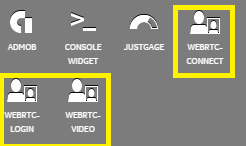
Intel XDK has the right tools to build WebRTC apps. There are widgets that gets you started shown here. You can use Intel XDK together with Intel Collaboration Suite for Web RTC to build the real time communication apps. With Intel Collaboration Suite for Web RTC (Intel CS for WebRTC ) it is possible to build apps for real time communication over the web. You need to use the Intel CS for WebRTC SDK built on top of W3C standard for WebRTC. You can create apps for broadcast, peer-to-peer and apps for conference. To cater to the major OSs and HTML, the SDK is available in four versions one each for: Android JavaScript iOS Windows There is a server that you need to get used to: Intel CS for WebRTC Conference Server that provides the Video Conference Service that streams the service to many end points with the following quoted features: High performance, VP8 and H.264 real-time transcoding with Intel® Iris™ Pro and Intel HD Graphics Scalable multipoin...

Launch icons and splash screens for iOS using Intel XDK

Developing apps for Smart Phones requires creating a large number of images necessary for the icons and the splash screens of the app. The device foot prints now range from the smallest to the largest, not to mention the iPads, both mini and maxi. Add to this the operating systems, and you need really a large number of the images. I am planning to create an app, a simple one for starters and I found out that just for iPhone with iOS oprating system you need this many images for icons and splash screens that address all the present devices: Launch Icons Settings icon  29x29px (png) Settings icon 2x 58x58px Settings icon 3x 87x87px iPhone App  60x60px iPhone 2x  120x120px iPhone 3x  180x180x iPad App  76x76px iPad App 2x  152x152px Spotlight icon  40x40px Spotlight icon 2x 80x80px iPhone App   57x57px iPhone App 2x  114x114px Spotlight icon  50x50px Spotlight icon2x ...

Mobile Game Development Made Easy

Image
If you are a game developer, I suppose you may not even read this post. Unity is a multi-platform, 2D/3D game development engine and you can learn about it here ( unity3d.com ). It is supported on most platforms and a leader in game development. With just one click you can deploy to: Mobile - iOS, Android, Windows and Tizen VR Desktop Web Console and  TV platforms. Here are the platforms to which you can deploy the games. Unity_01 If you are developing for the mobile area it has lots of built-in stuff: One-click deployment to Android, iOS, Windows Phone, and Tizen. Tons of optimizations thanks to features like occlusion culling, asset bundling, and build size stripping. World class monetization and retention services for mobile games. Dedicated, easy to use 3D and 2D tools and workflows. Unity for VR and AR is already garnering from most vendors shown here: Unity_02 You can develop very immersive and entertaining games for the desktop be it Windows, ...

Intel App Preview works best on Windows Mobile

Image
Intel XDK is a good tool to create cross-platform applications for diverse device foot prints from Smart Phones starting with generation 3 all the way to 7 from diverse manufacturers, Apple, Microsoft, Google, Black Berry etc. Developers using Intel XDK can test their apps on their own device over Wi-Fi; test them in the emulators and debug them as well. For accessing the app from the server over Wi-Fi you need the Intel App Preview which is available for most devices and the software gets updated and the preview app is available from the app store (Apple store, Windows Store, etc.). The Intel App Preview is available for the latest phones as well, such as iPhone 6, Microsoft Lumia 950 and many others. For iOS devices from Apple Store:   For Windows Phone from Microsoft Store (Windows 10) : I recently created several apps and naturally wanted to see how it works. I downloaded Intel App Preview for both iPhone 6S and Microsoft Lumia 950. I was surprised to fi...

App analytics with App Annie

Image
You have worked on an App and you want to know how it is doing. What you need is some analytical information. App Annie which provides App Analytics has several products of which the Store Stats is free. It claims to have 0.5 million registered members. Hourly and daily charts plus ranking for millions of apps is made available using the Staore Stats. Of course there is also a Pro version if you pay $59/month. The other premium products are: Store Intelligence Usage Intelligence Audience Intelligence App Store Analytics Advvertising Analytics In-App Analytics What I like is it covers all the important App Stores like, iOS, Apple TV, Mac, Google Play, Amazon, Windows Phone and Windows. Here is a over view of the dashboard and you can drill down to details in various ways and do filtering. Here is details for iPhone and you can splice and dice. I did not see a search box on this screen. Well your app has to have sufficient tracking before it can make it into the ...

AppMethod - One-stop mulitdevice app development platform

Image
IoT has to be 'Universal'. Therefore, it has to be multi-platform, multi-device, device-size agnostic and more. This is why you hear more and more 'cross-platform' development. This app works on iPhone but not on Android etc. will not do. AppMethod is one such program from the veteran, Embarcadero. Sign up here to get software that you can use to build apps in record short time. http://www.appmethod.com/sign-up?cid=701G0000000vHaD   Registration is needed, but easy with few elements. Note that the downlaoded program (file size: 3GB) is free for only one year. Read the information on the download page above. See overview here taken from a video on the site Features overview One-stop mulitdevice app development platform Supports Internet of Things FireUI Multi-device designer Enterprisemobility Devices with FireDAC support

Intel XDK - Grab the latest September release

Image
After the July 2014 release, the September 2014 SDK was released (Intel XDK - Release - 2014 September 08 v1332) recently. Plugins and Services integration especially for games development with HTML5 was the high point of the July release. Read previous posts if you have missed: Details of July release here: http://hodentek.blogspot.com/2014/08/jump-start-your-cross-platform-app.html Types of project you can create with Intel XDK here: http://hodentek.blogspot.com/2014/08/project-options-for-cross-platform-apps.html Creating a ListView type of cross-platform app with Intel XDK here: http://hodentek.blogspot.com/2014/09/creating-listview-type-of-cross.html Step-by-step procedure to create a ListView cross-platform app with a template here: http://hodentekmobile.blogspot.com/2014/09/creating-projects-with-intel-xdk.html New features in the September release are: Improvements to Live Development    Live Development in Develop tab has been changed...

Cross platform app development with Apache Cardoba APIs

Image
It is now possible to work with PhoneGap on Windows using PhoneGap Developer App available from the Windows Store. PhoneGap is a free, open source framework based on the Open Source Apache Cardova project that allows developing mobile apps using standardized Web APIs.You can create apps using HTML, CSS and Javascript. PhoneGap bundles up your code for the device of your choice. You start here: http://phonegap.com/ PhoneGap Developer app can be used to develop both Windows Phone 8 app as well as the soon to arrive Windows Phone 8.1 store app. With PhoneGap you have full access to the PhoneGap APIs and there is no need to install platform SDKs, registering devices etc. Get the information guide relevant to your platform from here: http://docs.phonegap.com/en/edge/guide_platforms_index.md.html Watch video here for additional motivation: