Posts

Showing posts with the label Visual Studio 2017 Community

UWP : Visual Studio 2017 Community error 'App Didn't Start'

Image
This error appears when you try to deploy the project to the Local Machine (x64). There are no errors during build or deploy stages. However, when you try to run the machine you come up with this message after the App shows up momentarily and disappears immediately. Trying to deploy to an emulator such as Mobile Emulator 10.0.14393.0 WVGA 4 Inch 512MB comes with the following errors. The emulator is running: However when you deploy it to a device (in this case Lumia 925) the app gets deployed with no errors. In order to proceed to package it for uploading to the Windows Store I am not sure just deploying it to the device is good enough. Is there a fix?

Microsoft Windows Simulator is not working!

Image
The Simulator for testing apps is not working. It can be launched but you cannot exit. You may exit the development environment by closing Visual Studio but the simulator hangs around. Apps open in the simulator does not work, or work sporadically. Here are details of OS and the Visual Studio versions in which this was noted: Here is the abandoned Simulator: I will be upgrading to the next version of Visual Studio Community 2017 shown here:

Workaround: UWP project with Visual Studio 2017 Community

Image
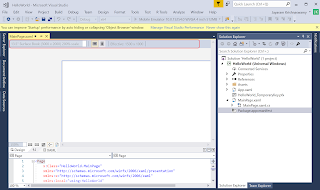
Visual Studio 2017 and accompanying Blend for Visual Studio are well suited tools for developing Universal Windows projects. There appears to be some hard-coding in the application (I tried the recommended Hello World) and after some goading managed to load the project correctly starting with a blank template for C#. The device size in Design is hard-coded and the drop-down to choose size is greyed out. The loaded project (Code and XAML) appears as shown. MainXAML_HW_1 The device size in the Design is hard-coded. The design has very little flexibility to do anything unless I manipulate via the XAML code. However it is possible to adjust if you use the Blend as shown. The same project is now open in Blend. MainXAML_HW_1 Pick the size in XAML and click Save All in File menu in Blend. MainXAML_HW_2 Smaller device is chosen here. MainXAML_HW_3 Now Open the same project in Visual Studio 2017 Community and you will see that the chosen size of device appe...