Posts

Some problems never go away
Image
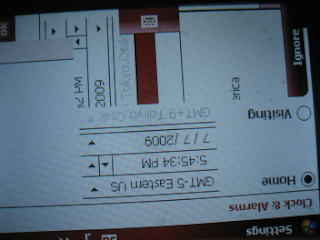
I have had continuous problems with the Tilt's display and hang ups. You need to reset by taking out the battery and putting it back. This is not a solution. This can happen when someone s trying to reach you and it drives you crazy. I want to send it back to AT & T. I will work on it. The pictures tell the story. Right in the middle of an incoming call (nothing works):
Adding a Video Clip to your Tilt

Image
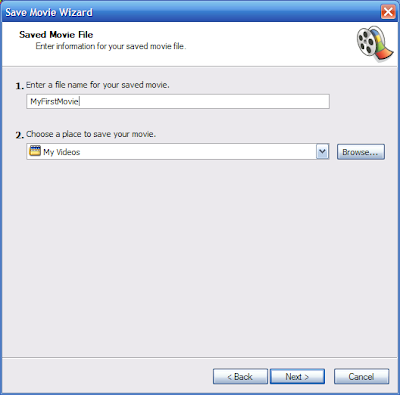
In three steps you will see how you can add a video clip to your AT & T Tilt Step1: Import Clip Import the Video you created to Microsoft Windows Movie Maker. I have Version 5.1 (Build 2600.xpsp_Sp3_gdr.090206-1234: SP3). Use File | Import into Collections... My computer is a laptop, Toshiba Satellite P105-S6134 with SP3. Step 2: Edit the clip Edit the movie. You can add a title and select a smaller portion of the video if it is too big. Step 3: Save File Click File | Save Movie File... Here are some screen shots Save them to the format shown. When it is saved connect your AT & T Tilt to the desktop/laptop. Drag and drop the saved file to the Tilt. That is all folks! Here is a small movie I created

Tilt's Built_in camera

Actually it is pretty good. Here is a sample. This video was captured with tilt. The scene is from the recently held Code Camp 2009.1 held at De Vry University in Philadelphia. Well sometimes the video upload icon disappears from the Posting page. You can see the video on my other blog: http://hodentek.blogspot.com/2009/04/codecamp-philly-april-2009-de-vry.html

Scrolling so rough!!

Scrolling screens in AT&T Tilt is very rough. Compared to dragging screens up and down, or from right to left in the more recent cell phones is so neat that should you think twice about buying AT & T. Well, I bought it because it was cheap and had the right OS on it.

SAP walks hand-in-hand with Sybase in mobility

SAP is a recognized leader in business applications and Sybase is a world leader in mobile software and they have taken the step to go hand-in-hand, looking forward to greater co-operation. For full story read this on the  Sybase Site. Also read Ian Thain's article

ActiveSync 4.5 and file transfer problems with AT & T Tilt

Image
This is the second time I had to completly remove ActiveSync 4.5 and reinstall it. Repair does not work . I have checked the connectivity as much as I can, it is not a connection problem. It is something to do with the program associated with file transfers. Connection details that you may see on your My Network Connections on your computer Here is the display of the PING results. I pinged both the default gateway as well as the device according to the above. Well, ActiveSync is not all that 'Active' is it? Look forward to my next article on PACKT  with the tentative title, "Deploying SQL Anywhere 11 to the Mobile Platform" The previous article on PACKT was at: A Simple Pocket PC Application using Visual Studio 2005  

Comcast WiFi Beta - Good News

And it is about time. ... Good to know that you can get internet access without an additional provider for your outdoor activities. If you are already a comcast customer you can access internet using WiFi at most New Jersey Commuter Stations. You need a WiFi enabled Laptop. Of course it should be possible with a 3G Phone as well. The WiFi service is comcastWiFi and you need your comcast authentication to get in.