Posts

UWP: XAML's ListView Control and its SelectionChanged event - Part 1

Image
In my previous post you learnt about ListView and ListBox controls used in XAML. In this post you will learn to: Part 1 Progressively build a ListView Control  Place ListViewItems inside a ListView's ItemTemplate You will place three named ListView items Part 2 You will write code to change the properties of items you placed. At first, you launch Visual Studio 2017 Community and create a blank Universal Windows Platform project using C# and provide the name to the project (Project JListView ). JlistView_0.png Here you choose the target and min versions of Windows 10 JlistView_1.png Add a ListView as shown between the 'Grid' as shown using intellisense. JlistView_2.png An empty ListView control is added to the XAML with some default border over the Desktop as shown. JlistView_3.png Now we place an ItemTemplate of the ListView by choosing from a drop-down list. JlistView_4.png Visual Studio is not happy as thi...
XAML ListView Control for Universal Windows Apps

Image
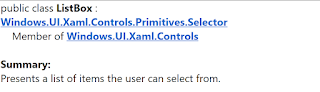
I have posted a number of articles related to ListBlock , ListView etc that you can use in HTML 5, web applications using Intel's XDK. Intel XDK's development platform for several frameworks were discontinued and Intel's effort is in the realm of Internet of Things devices and related applications. Microsoft's Universal Windows Framework apps are well supported by Microsoft and you could use it for not only Windows but for other devices as well. In the Universal Windows Platform (UWP) projects there is an advantage of one code that works on different device families (phone, tablet, desktop etc.). However, the UWP projects depend on using XAML. For example the 'List' related controls in UWP are as shown here: In this post, I will show you how you may work with this controls for a UWP project. Getting the ListView Control Placing ListView on the Design area Adding Textbox Controls to ListView Making changes to XAML Code We start with a W...

Storing an array locally using browser's Local Storage

Image
My previous post showed how to store a single piece of information in Local Storage (Browser Storage). However instead of a single piece of data you want to store an array of items. Let us say your array has three elements, rose, jasmine and hyacinth and you want to store in an array named 'flowers'. The following page shows how you may store array and retrieve array elements using JavaScript. Each statement is commented (view image magnified, if necessary). ArrayStoreLocalStorage.png Place this page in IIS's wwwroot folder and browse. You can see the elements in the array in LocalStorage . ArrayStoreLocalStorage1.png You can see more clearly here in the Microsoft Edge's developer window. Data stored from the previous post is also seen. ArrayStoreLocalStorage2.png

Storing data locally using Local Storage

Image
Local Storage is supported if you use HTML. First of all you should make sure that your browser supports Local Storage. Data is stored as NAME,VALUE pairs in local storage. You can review this post  Local Storage is an alternative to storing data in Cookies. The data is stored in the browser and more data can be stored in Local Storage than cookies. Local Storage is supported if you use HTML. First of all you should make sure that your browser supports Local Storage. Data is stored as NAME,VALUE pairs in local storage. You can review this post http://hodentekhelp.blogspot.com/2017/08/does-your-browser-support-localstorage.html Let us say you want to store the string "Hi, Good Morning". You need to create a NAME VALUE pair, your VALUE being "Hi, Good morning" and the NAME can be anything. In the present example the NAME is "Greetings". NAME="Greetings" VALUE="Hi, Good Morning" All you need to do is create a web page (j...

Emulators for Windows 10

Image
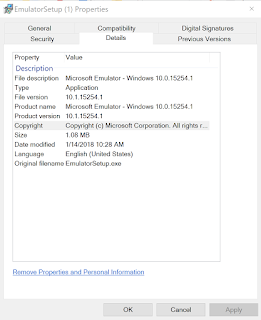
If you do not have a Windows 10 device (say, Windows 10 Mobile) you can use a Windows 10 Emulator instead. There are various versions for Windows 10 as well as for even earlier Windows versions. Here are the ones for Windows 10: 10.1.15254.1 10.1.15063.137 10.1.14393.0 10.1.10586.11 10.0.26624.0 You may download them from this site here .

Deploying a Universal Windows Project to Lumia 950

Image
We will be using the Lumia 950 as the connected device and it has been set to Developer Mode as described earlier. We start with the HelloWorld Universal Windows Project(UWP) that has been tested to run without errors on the Local Machine as described here. Open the project in Visual Studio 2017 as shown. LumiaDeploy_0 and LumiaDeploy_7 Build (Using Menu Build and its context menu) the Project and verify it is successful. -------- 1>------ Build started: Project: HelloWorld, Configuration: Debug x86 ------ 1>  HelloWorld -> C:\Users\Owner\source\repos\HelloWorld\HelloWorld\bin\x86\Debug\HelloWorld.exe ========== Build: 1 succeeded, 0 failed, 0 up-to-date, 0 skipped ===== ------------------ Click Local Machine along Debug as shown. LumiaDeploy_1 Pick Device from the list, the display changes as shown. LumiaDeploy_2 Connect your Windows 10 Mobile(Lumia 950) to one of the USB ports. This will result i...