Posts

Showing posts matching the search for intel xdk

Develop a Side Menu App using Intel XDK - Part 8
Image
You have developed an APP such as the Side Menu App and now you want to see how it would look when you bring it up on a smart phone. It is true that it is not complete, as yet. But it is always of interest to know how it would look on  a real phone, an Apple phone or some other phone. In the previous post you have seen how you may use the emulators to view the app you designed is rendered. In this post you will learn how you may view it on a handheld device be it an iPhone or something other like a Windows 10 Mobile. This step is needed before you package it to be downloaded by anyone from one of the device stores (Google Play, Apple Store or Windows Store) I assume you have one of these devices at hand, an iPhone or some other compatible with Intel XDK. You will also require Internet Connection via Wi-Fi. The first thing for you to do is to install the Intel XDK Preview app on your device. This app is available on both Apple Store and Windows Store. If it is an Android, i...


Cross-Platform Apps are easy with Intel XDK - Part 1

Image
There are lots and lots of Apps. In fact there are over a couple of million Apps including all of the major brands, Apple, Google, Blackberry, Microsoft with Apple at the top and Microsoft in the bottom. But this is a growing market. The variety is truly bewildering, different size devices; different operating systems(OS); different programming languages;  and different orientations. Windows Phone Apps is for example based on Microsoft's Window 7, 8, 8.1 OSs using .NET. With Windows OS and Visual Studio one can build Apps for all of Microsoft devices covering Phone, Tablet and Desktop. However Microsoft Windows Apps sans Html5/CSS/Javascript is OS specific. Even for apps built with Html5/CSS/Javascript the WinJS file is required (or recommended) in most cases. Apple Apps can be used on both iPad and iPhone as long as certain files specific to each device profile is available, in general iPhone apps can be used on iPad but not the other way. However the so called iOS Universal ...

XAML ListView Control for Universal Windows Apps

Image
I have posted a number of articles related to ListBlock , ListView etc that you can use in HTML 5, web applications using Intel's XDK. Intel XDK's development platform for several frameworks were discontinued and Intel's effort is in the realm of Internet of Things devices and related applications. Microsoft's Universal Windows Framework apps are well supported by Microsoft and you could use it for not only Windows but for other devices as well. In the Universal Windows Platform (UWP) projects there is an advantage of one code that works on different device families (phone, tablet, desktop etc.). However, the UWP projects depend on using XAML. For example the 'List' related controls in UWP are as shown here: In this post, I will show you how you may work with this controls for a UWP project. Getting the ListView Control Placing ListView on the Design area Adding Textbox Controls to ListView Making changes to XAML Code We start with a W...

Creating cross-platform apps with a tab view template - Part 1

Image
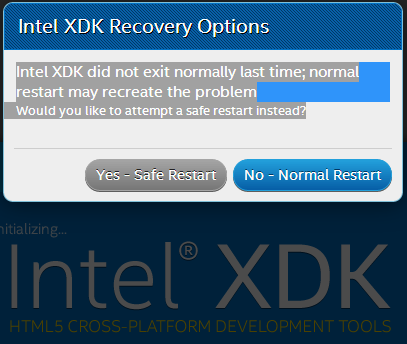
If you have not reviewed my previous posts please do so now. Cross-Platform Project apps that you can choose for designing apps here: http://hodentekmobile.blogspot.com/2014/08/creating-projects-with-intel-xdk-part-2.html Step-by-step procedure to create a ListView app here: http://hodentekmobile.blogspot.com/2014/09/creating-projects-with-intel-xdk.html There are some slight changes in this version and I recommend you download the latest. Here in Part 1, I will cover using the tab view template in Intel XDK for cross-platform and in Part 2, I will cover modifying the template and deploying it to your device. If you do not have the latest Intel XDK you can get it from here: http://hodentekmobile.blogspot.com/2014/11/get-latest-intel-xdk-and-jump-start-app.html Download the above and double click to install. Launch the Intel XDK application from its shortcut. You may get a warning as shown. Click Yes - Safe Restart This happens if you did not exit the applicat...

Develop a Side Menu App using Intel XDK - Part 1

Image
This post describes the following: How to create a Intel XDK project choosing a template For the template, Side Menu App, some details of the Intel XDK UI are described. The functioning of the app is shown in the Emulator for Apple iPhone6 Get Part 2 of this post here . I am using the build 2548 as shown here. This is after Intel XDK is launched. There is a little bit of instability in the app which will be described later. This is perhaps the program is on a Windows 10 computer. The instability is not related to the Intel XDK, perhaps the communication between the computer and the Intel site. XDK2548_01.PNG I create a new project and choose the Standard HTML5 template for a Side Menu app and use the Layout and User Interface shown. This app can be used on Desktops, smartphones and tablets. At first you need to start a new project and expand the Templates node in the left pane and scroll down and get to the Side Menu App. On the right you see the app displayed on a...